Skip to main content
MAC & PC - Clearing Caches in FLEX
- Click on the home button up top to take you to the main screen
- In the bottom right corner click on Diagnostic Tools

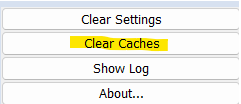
- Click on Clear Caches
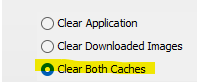
- Click on Clear Both Caches
- Click OK. This will close your program for you and then you will need to reopen it. This will hopefully stop any issues happening on your FLEX!

Comments
0 comments
Please sign in to leave a comment.